


Platform mechanics

The layer between
your AI agents and your repository.

Caliber connects to your coding agents through one open standard, gives them the approved spec to build against, checks every change before it merges, and keeps a record of all activity.

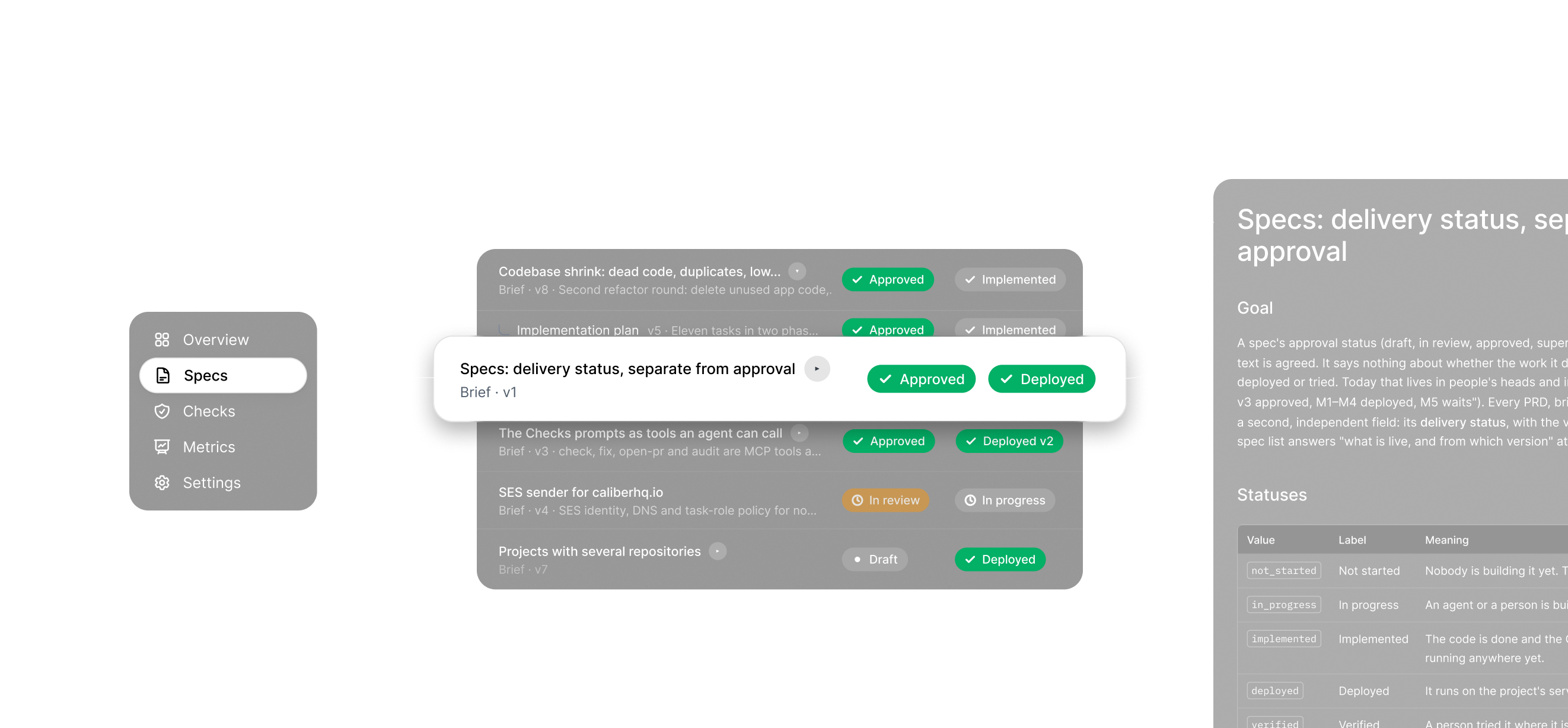
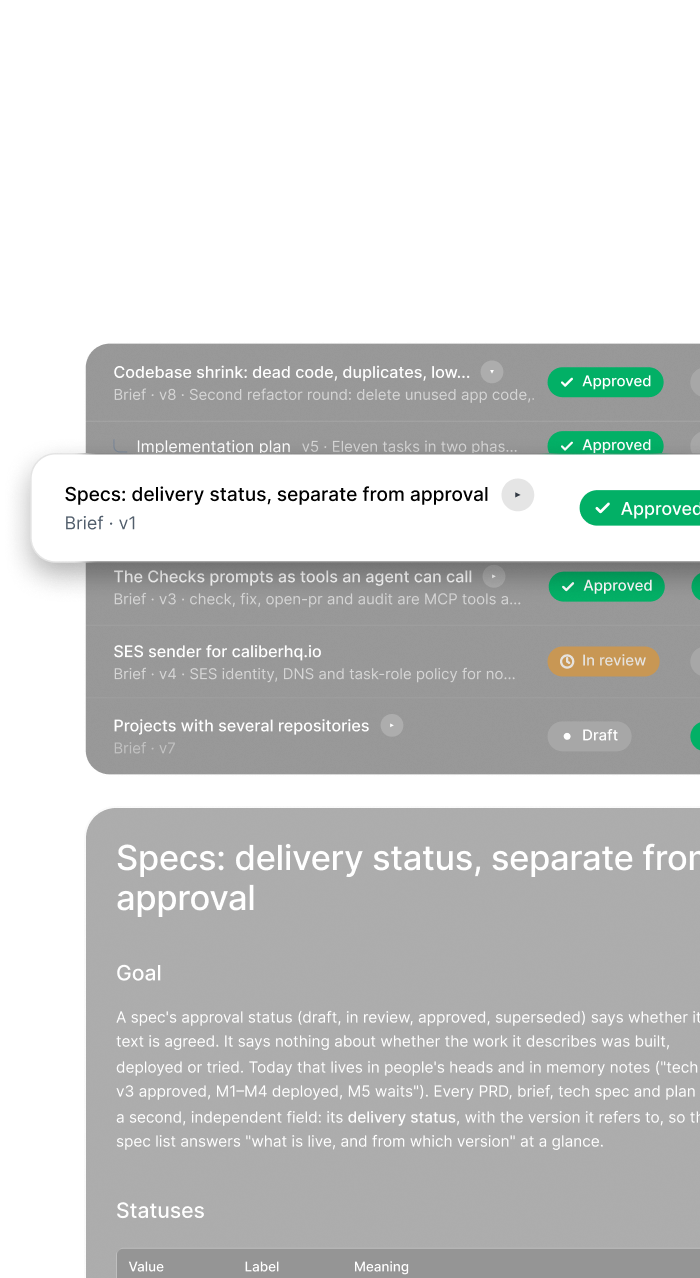
Define in Caliber: the spec list with approval and delivery status, and the open spec document
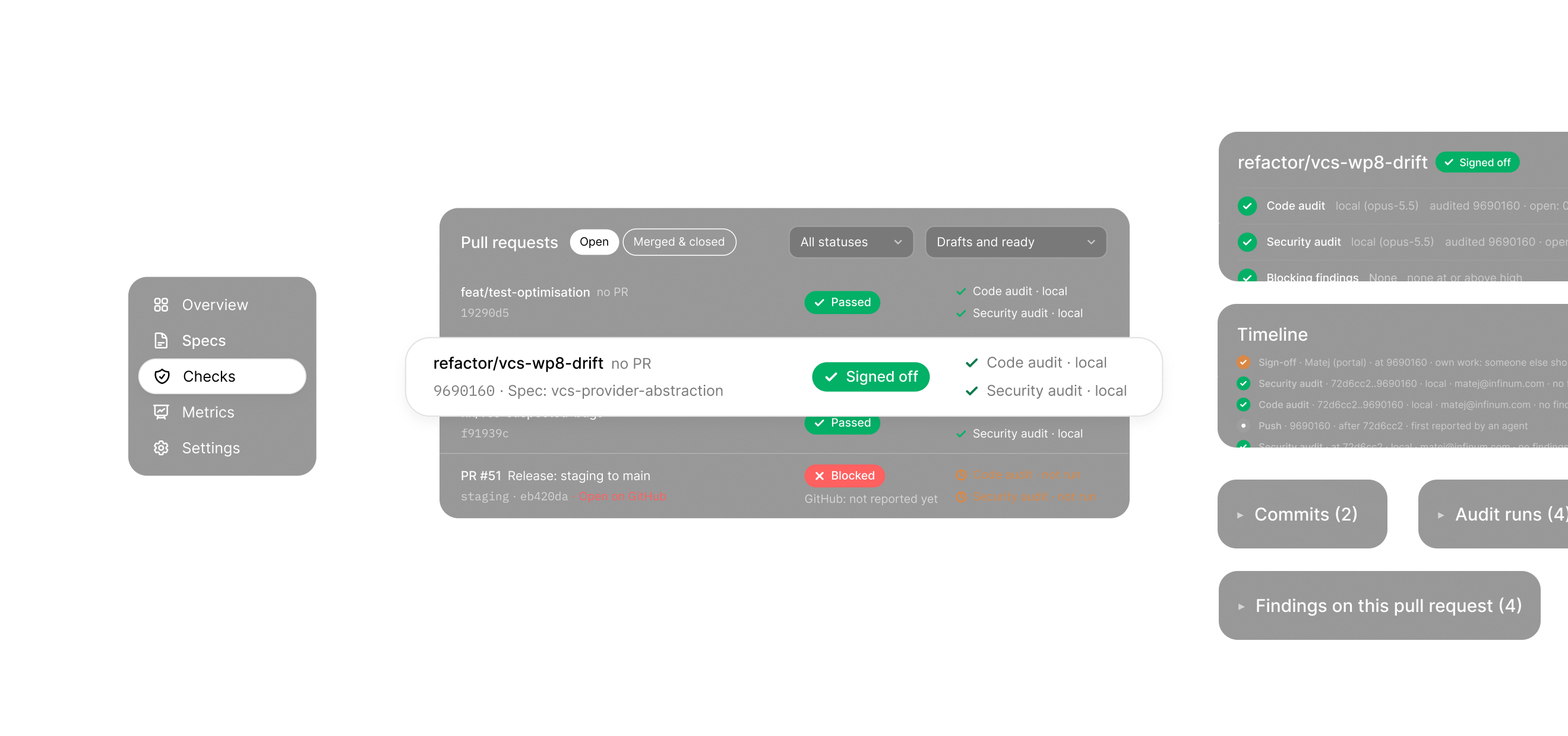
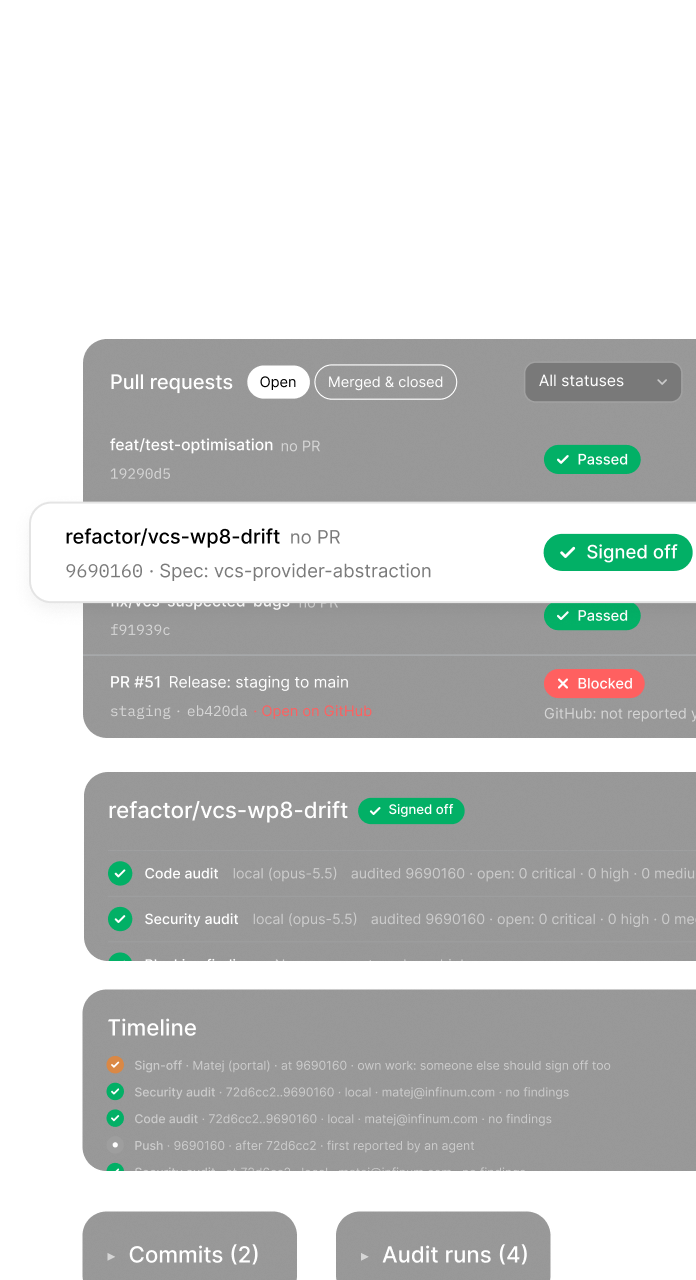
Assure in Caliber: pull requests with their checks, the audit timeline and audit runs
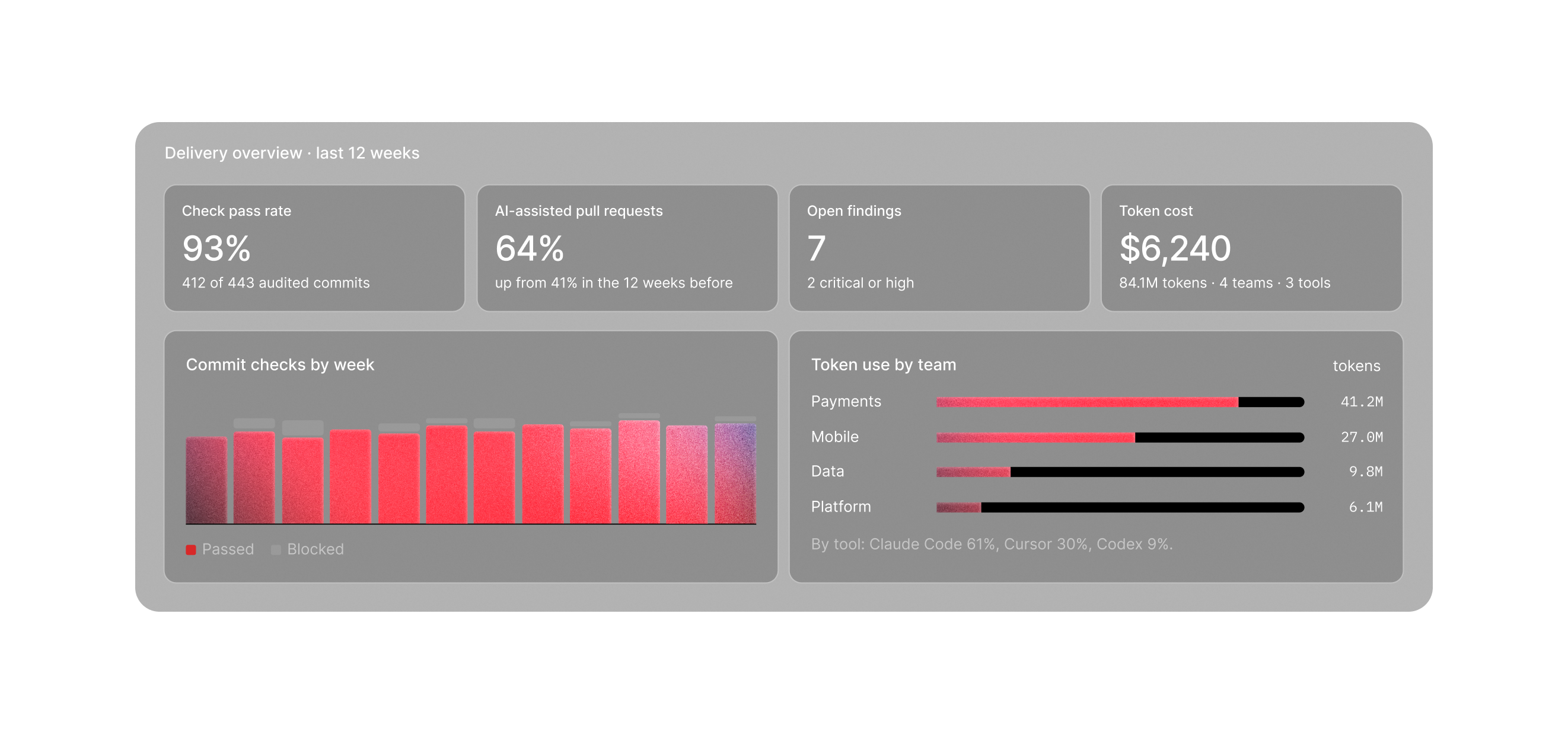
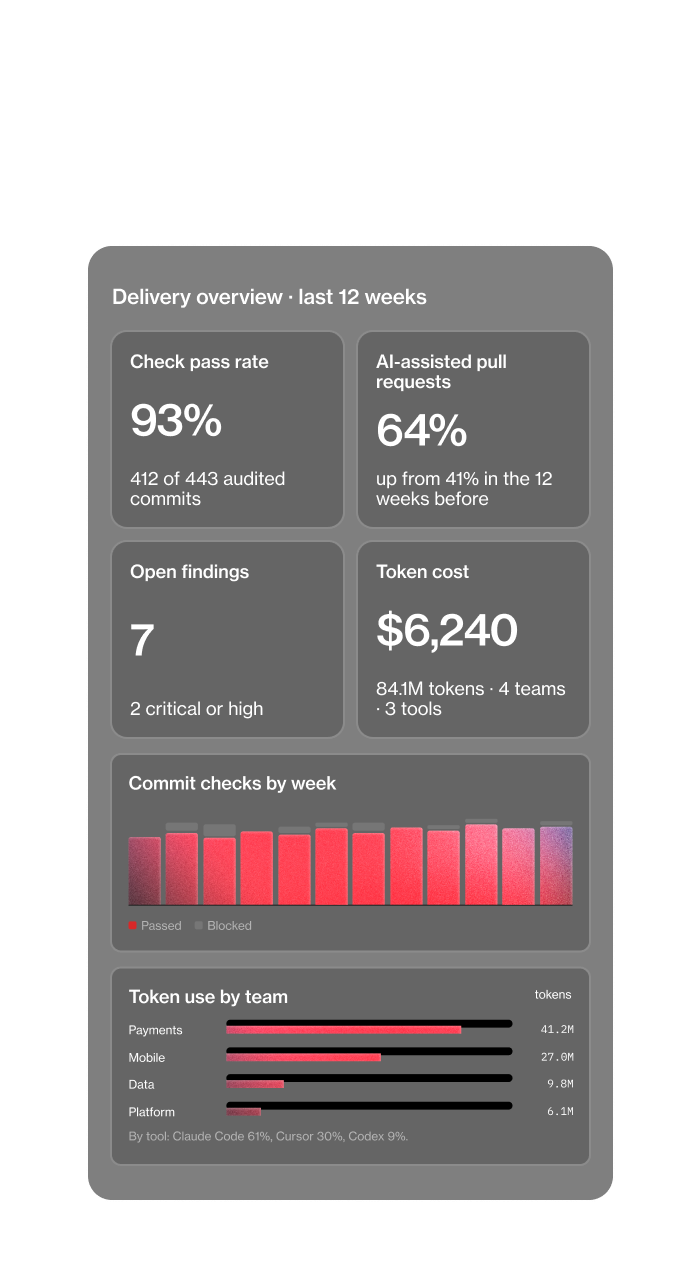
Measure in Caliber: delivery overview with check pass rate, AI-assisted pull requests, findings and token cost
Find out more

Define > Assure > Measure

Every feature follows the same three steps.

Define

Every spec, its versions and its status, from draft to approved.

Assure

The check result on every commit, the audits behind it and their findings.

Measure

Measure is the record of what was built, what passed and what AI cost.

The check result on every commit, the audits behind it and their findings.

Every time an engineer or their AI agent commits a change, Caliber performs two layers of checks: against the approved spec, and for security problems.

  • Team usageAI use and spend per person and per team.
  • Repository activityOne period next to another.
  • AI-assisted shareShare of pull requests built with AI, by team.
  • Project viewCheck pass rate, open findings and spec status.
  • Personal dashboardEach engineer’s own numbers.
claude mcp add --transport http --scope user caliber https://app.caliberhq.io/mcp

Model Context Protocol

One open connection
for every coding agent.

Plugins built for one editor tie you to that editor and break when it changes. Caliber connects through one open MCP server, using the standard AI coding tools already support. Engineers connect Claude Code, Cursor, Codex or Gemini CLI with a key limited to one project. From inside the editor, the agent reads the approved spec, checks its own work and sends the results to Caliber. Caliber runs on the organization’s own AI provider account: Anthropic, OpenAI, Gemini, Mistral, xAI or any OpenAI-compatible API.

  • read_specLoads the approved spec and its acceptance criteria.
  • start_auditReturns the code and security audit checklists the agent runs on the engineer’s machine.
  • submit_auditSends the findings to Caliber, never the source code.
  • verify_specChecks the implementation against each criterion in the spec.

Records and access

Who approved it,
who accepted the risk.

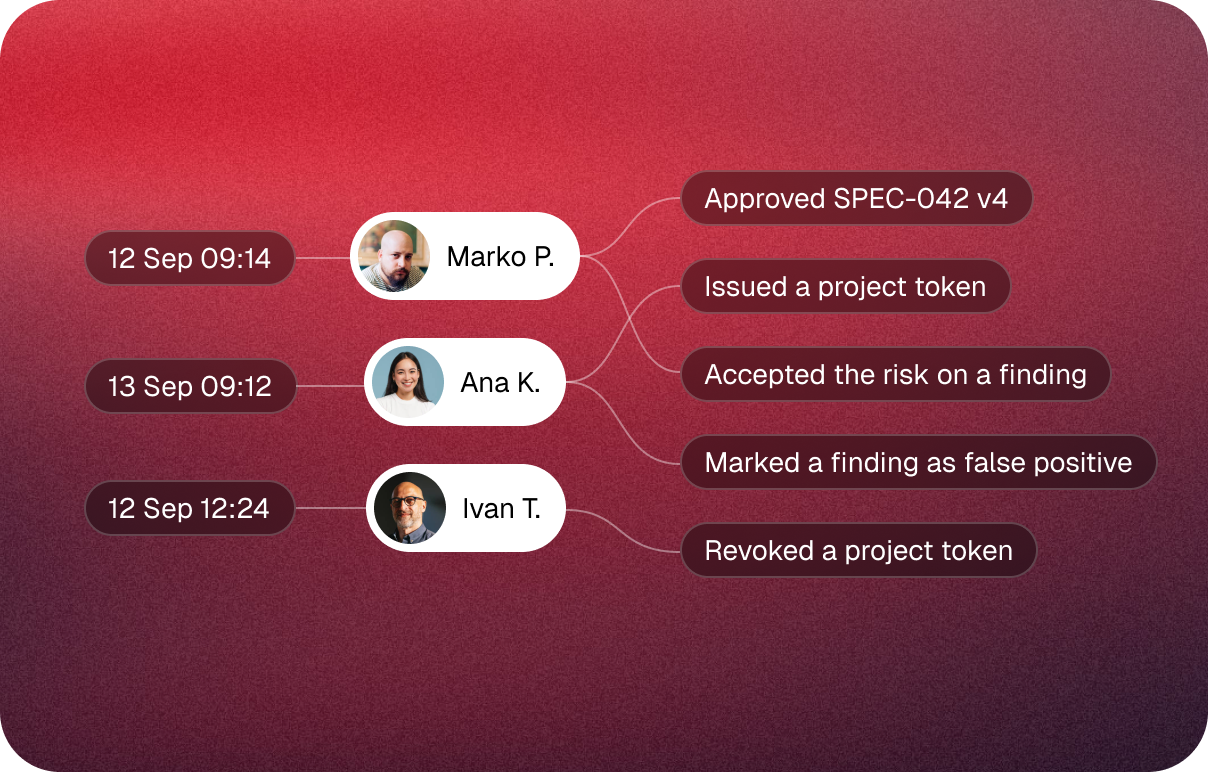
Every number in Measure comes from a record. Every spec approval, every accepted risk and every project key issued or revoked is written to the audit log with a name and a time. Every spec, change and finding has a permanent link. Members, project owners and organization admins each see what their role allows, so a compliance review becomes a set of links instead of a request to engineering.

See the Measure layer
Audit log: Marko approved SPEC-042 v4, Ana issued a project token, accepted the risk on a finding and marked a finding as false positive, Ivan revoked a project token

Who sees it?

  • Engineers

    Their own usage and activity, on a personal dashboard.

  • Team and delivery leads

    Team-level usage and repository activity, when their role allows it.

  • Project members and owners

    The project’s check pass rate, findings and spec status.

  • Organization admins

    Every project, plus the audit log with CSV or JSON Lines export.

Stand behind what you ship with AI.

Request early access