Measure

See whether
AI is paying off.

Keep track of AI-generated code quality and get real-time visibility into AI’s usage and costs with Caliber’s AI Measurement dashboard. A central source of information you can trust, available on demand.


Delivery overview in Measure with check pass rate, findings and token use

Adoption and spend

Who uses which AI tool,
and what it costs.

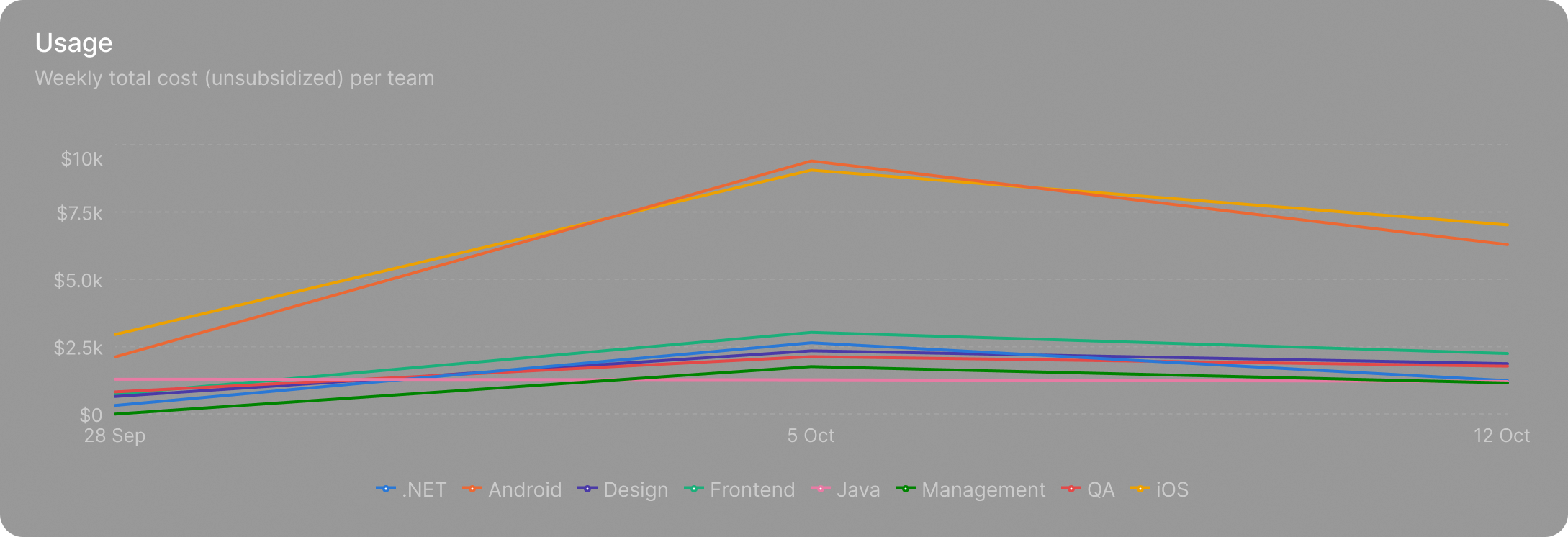
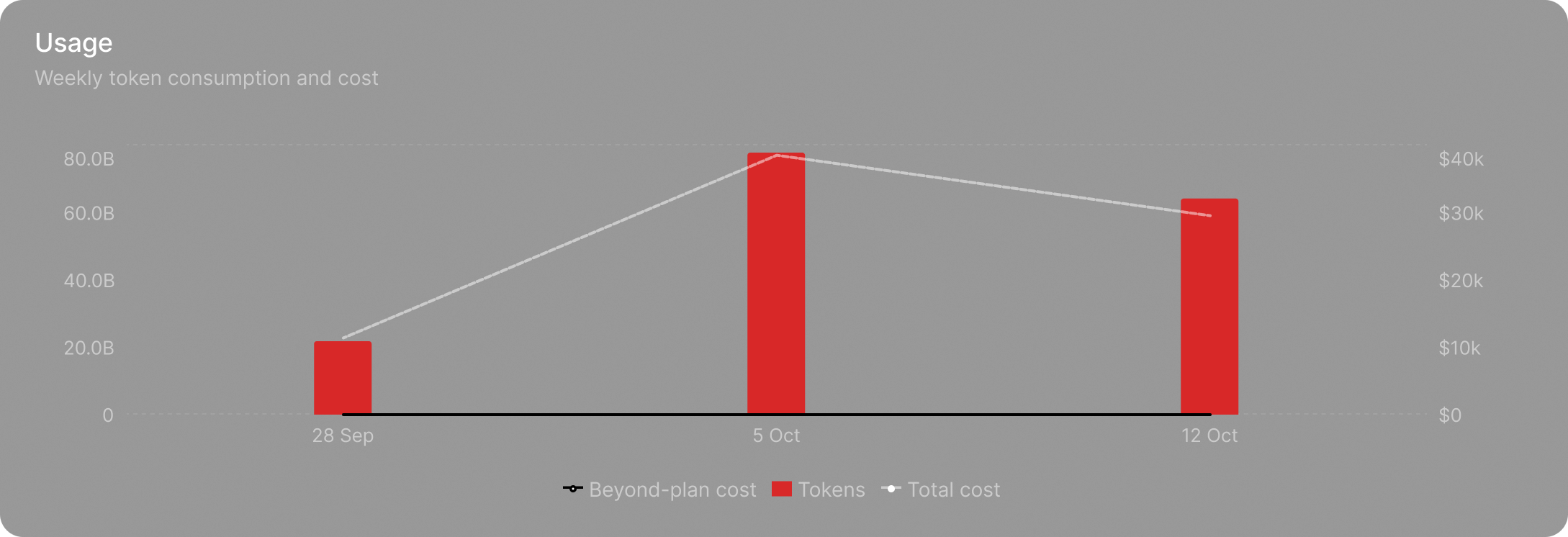
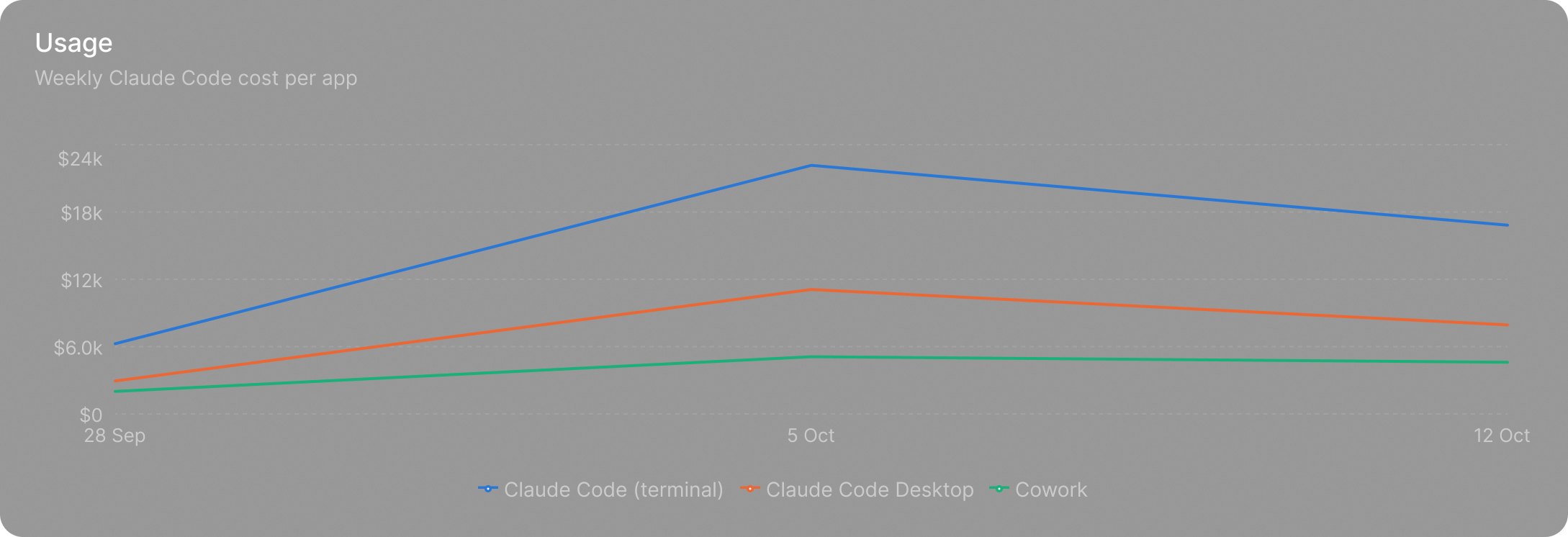
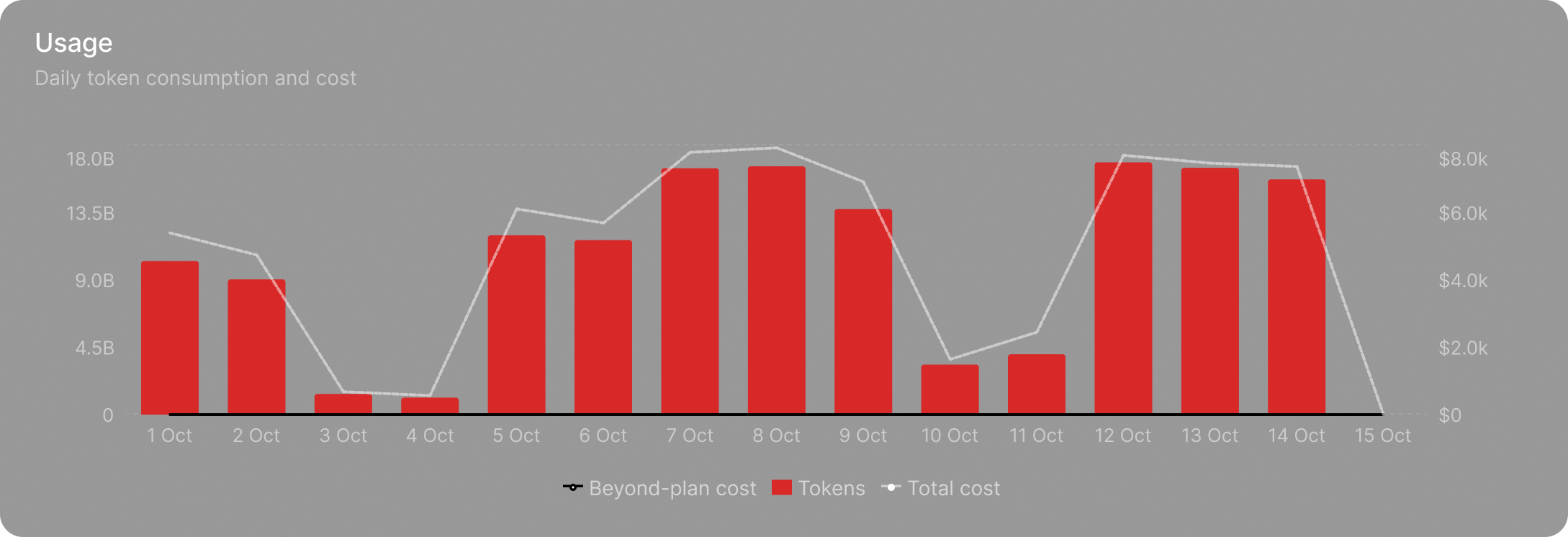
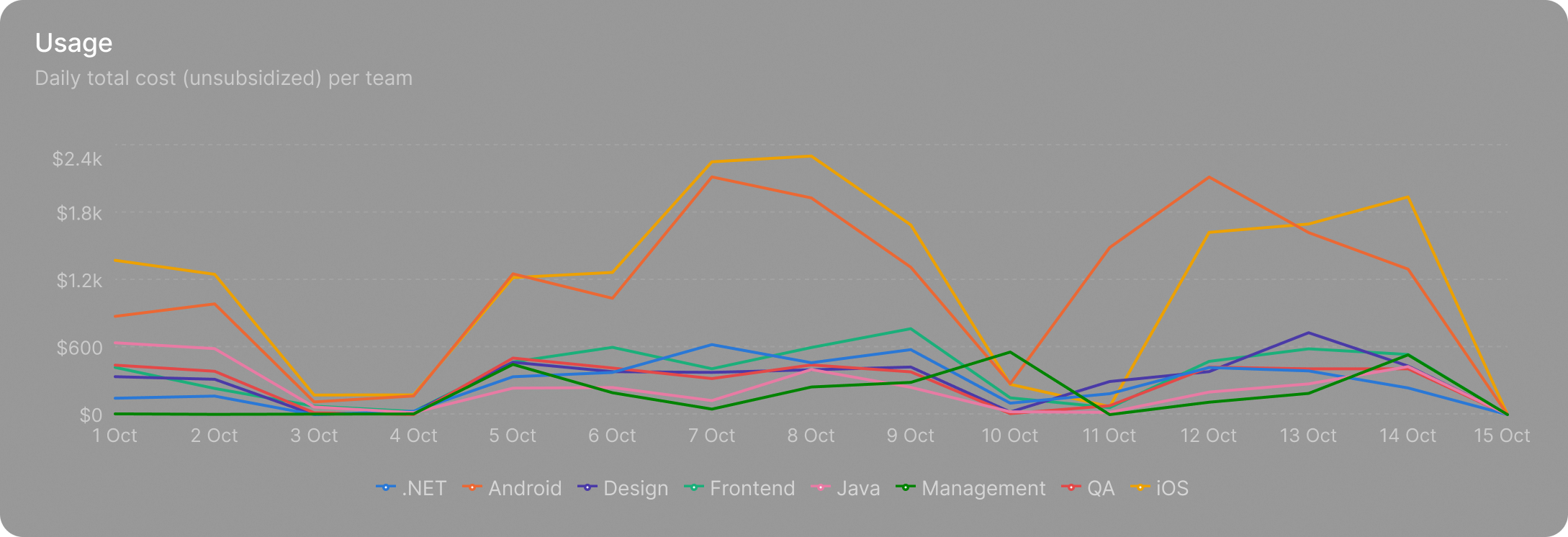
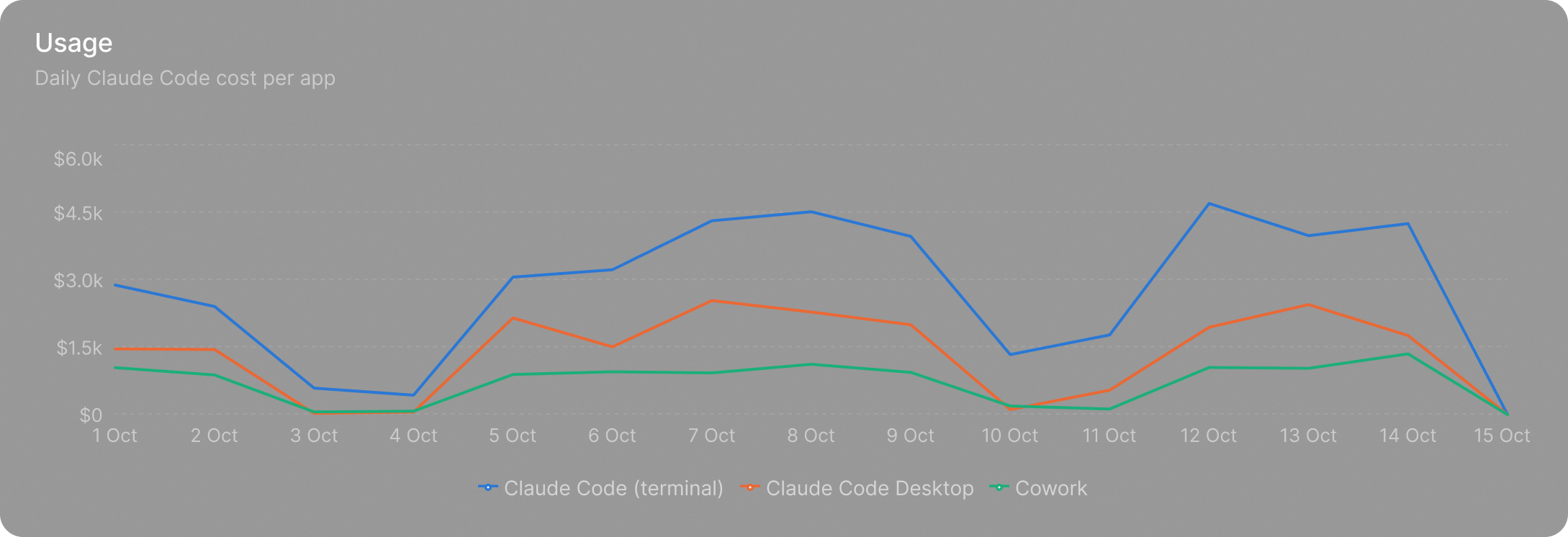
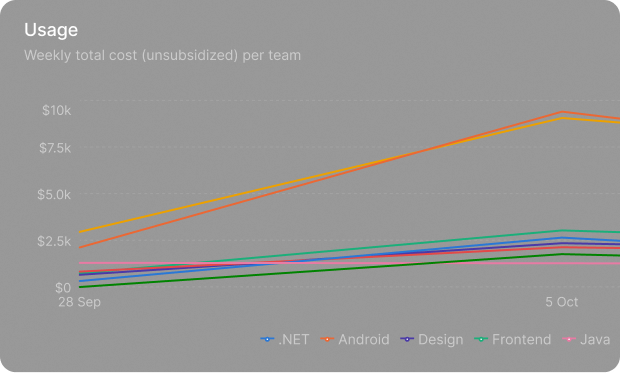
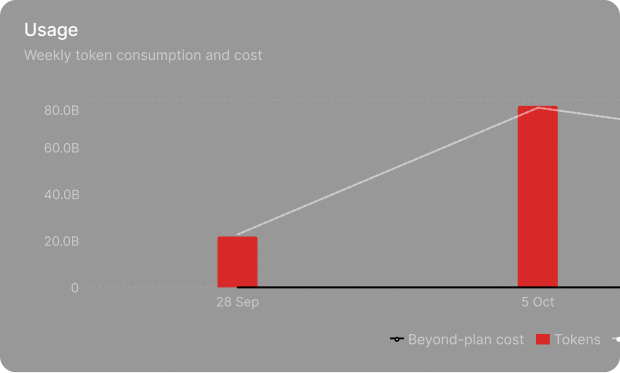
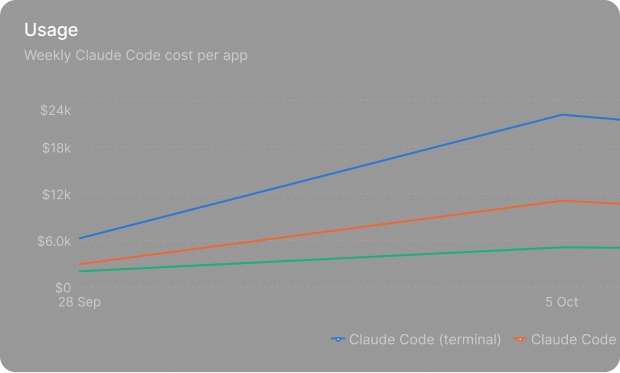
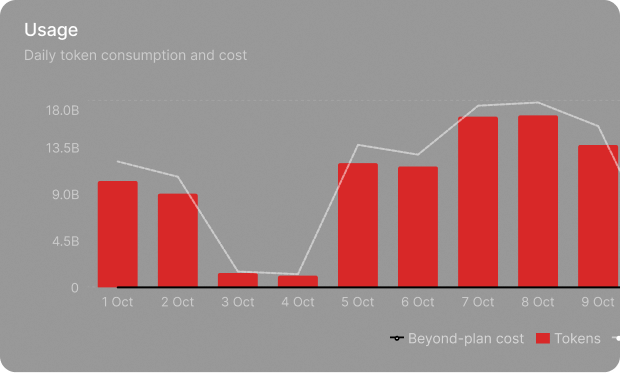
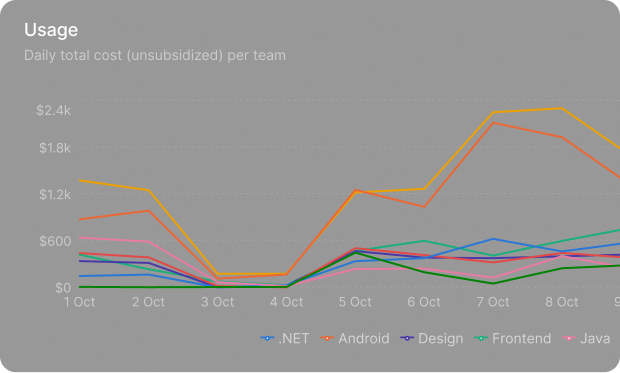
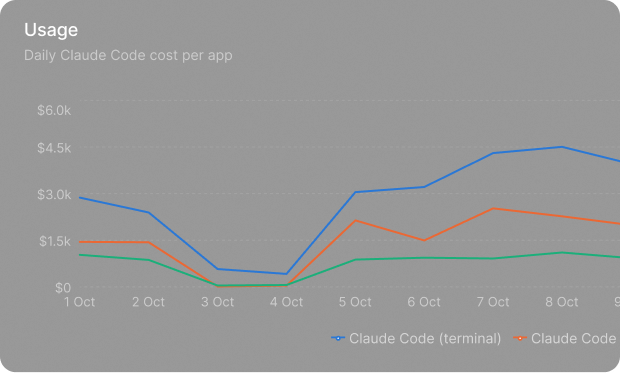
Caliber’s measurement dashboard shows AI usage and cost per person and team, by tool and by model, on a daily or weekly basis.

Weekly cost per team Weekly total cost Weekly cost per app Daily total cost Daily cost per team Daily cost per app

AI share

How much of the work is done with AI.

Measure reads pull requests, commits and lines changed from GitHub, Bitbucket and GitLab.

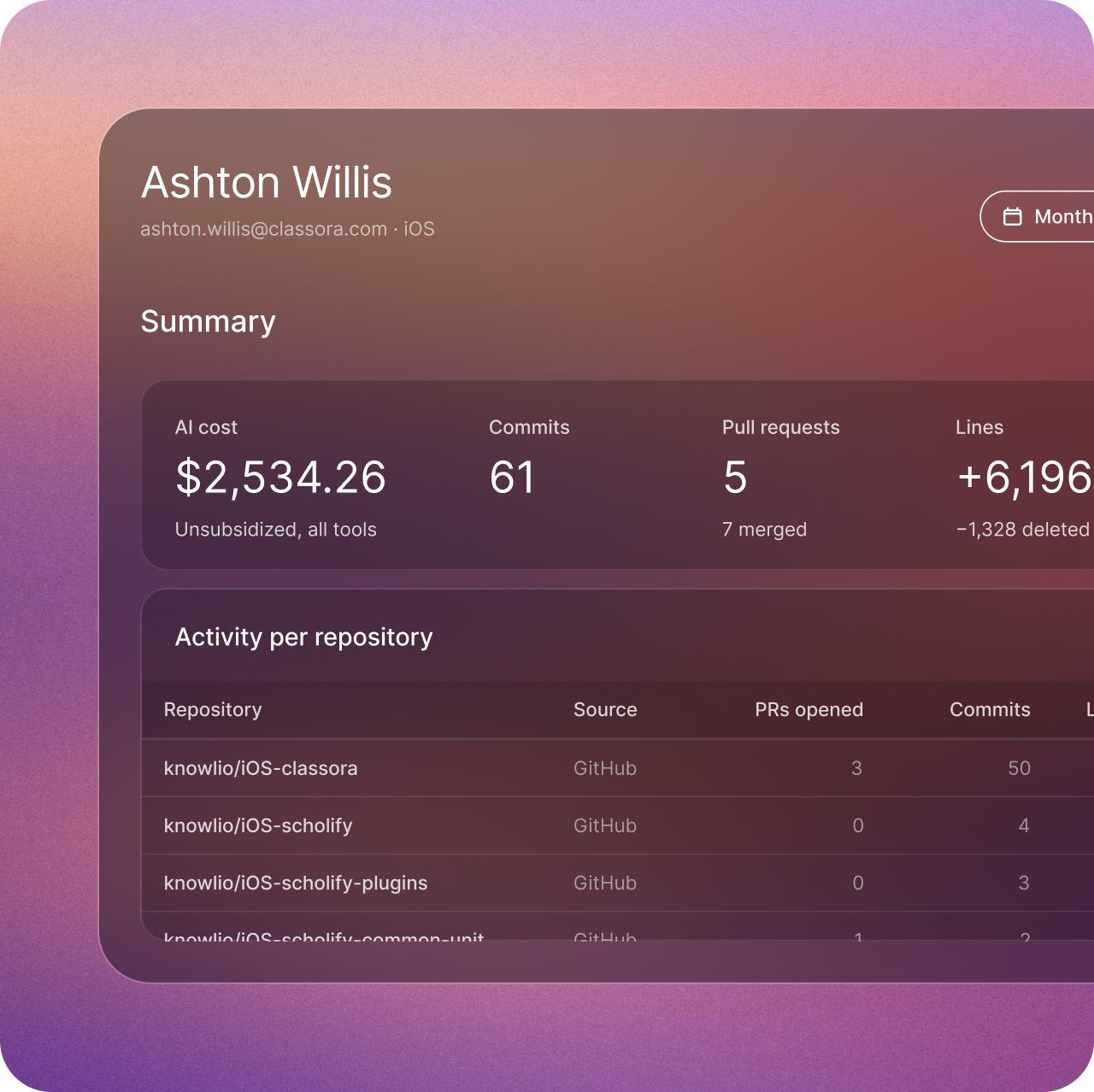
A personal summary with AI cost, commits, pull requests and activity per repository
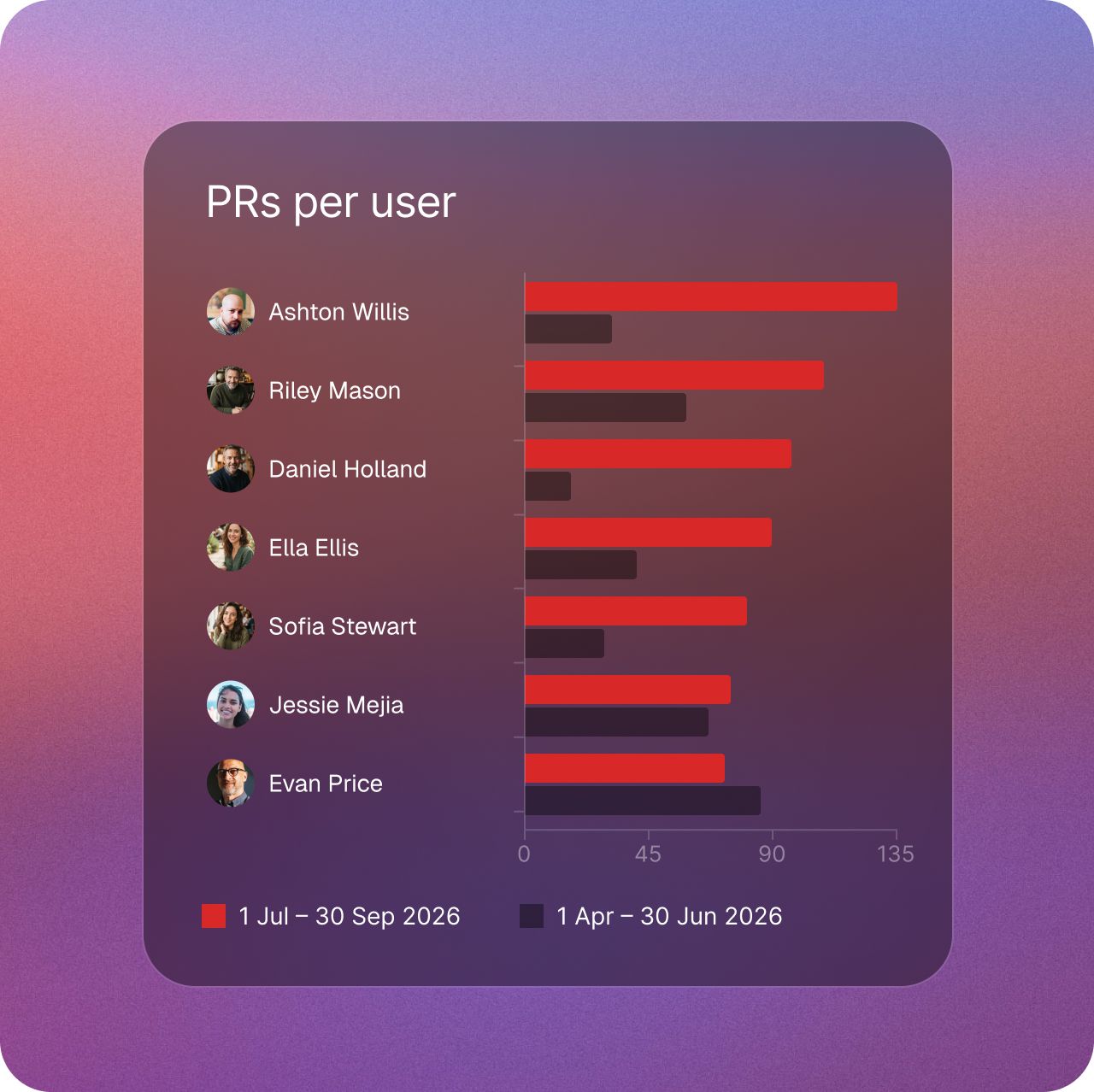
You see totals per person and per repository, and you can put one period next to another to see what changed.
Pull requests per user, comparing two periods
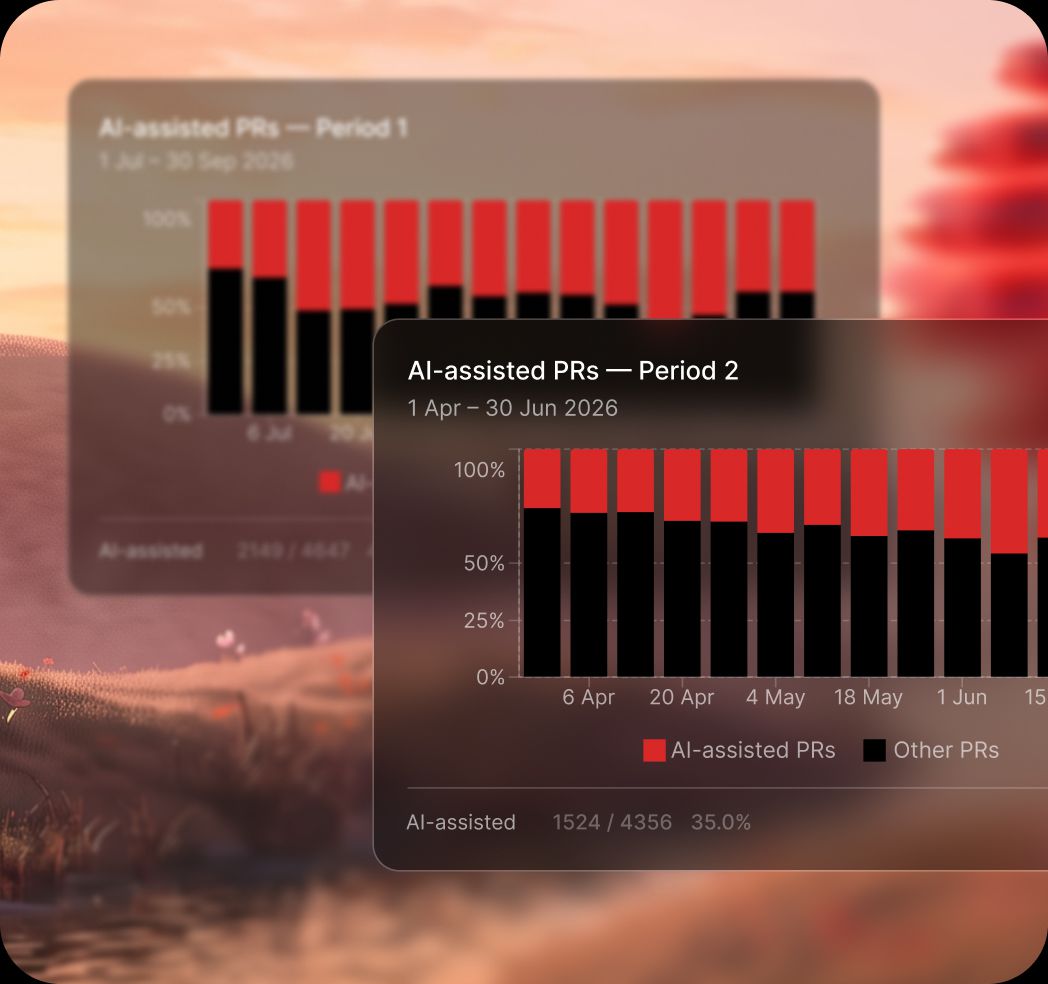
Teams label the pull requests they built with an agent. Measure turns those labels into the AI-assisted share of pull requests, over time and by team.

Quality metrics,
project by project.

  • Check pass rate, with commits passed, blocked and pending.

  • Open findings by severity, and findings by category.

  • Findings by outcome: fixed, false positive or accepted risk.

  • Specs by status, and audits by the tool that ran them.

AI-assisted pull requests compared across two periods, next to blocked commits

Quality over time

Faster is only better
if quality holds.

Measure puts check pass rate and findings by severity, week by week, next to the AI-assisted share of pull requests. If more AI-assisted work brings more blocked commits or more high findings, you see it early.

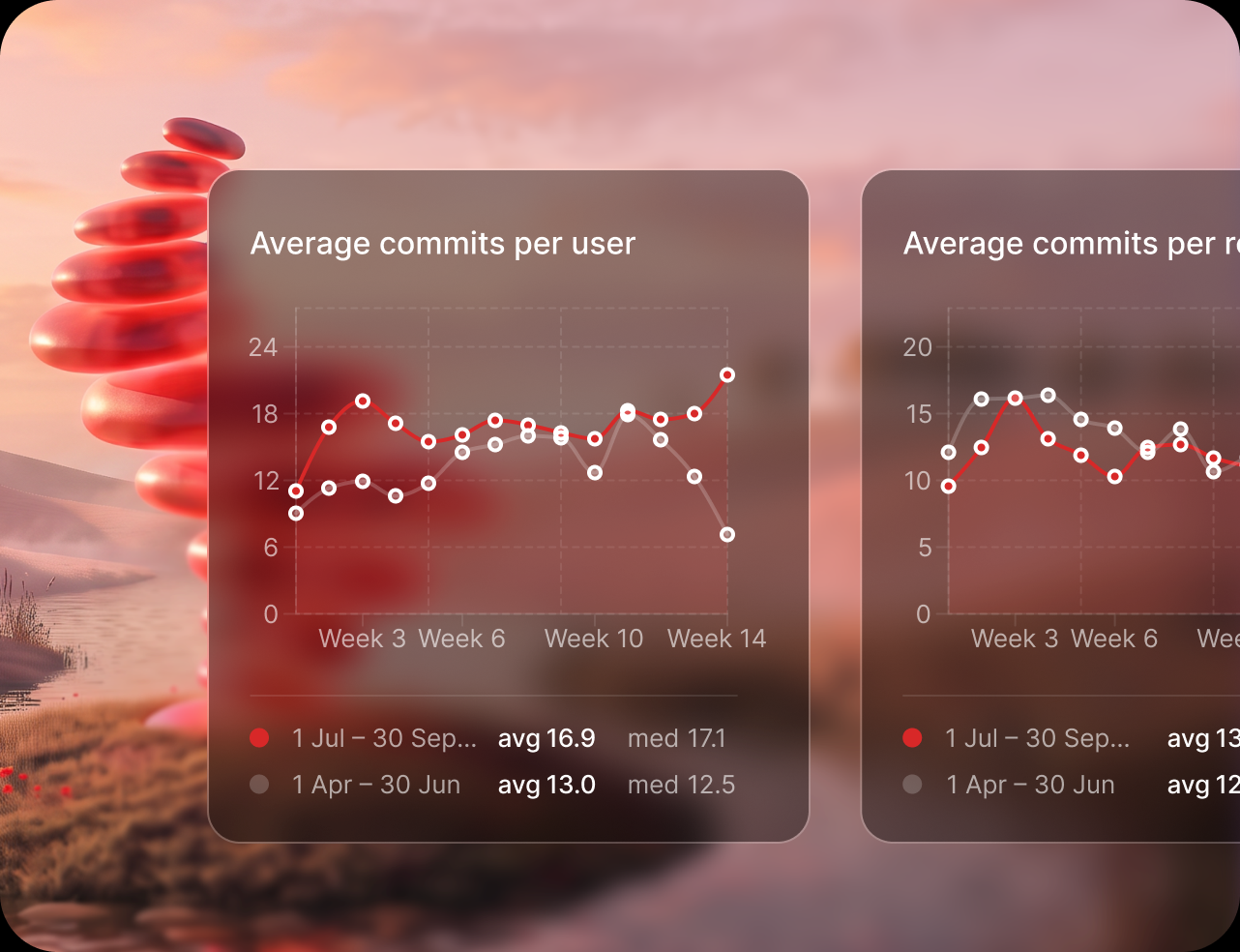
Average commits per user across two periods

The quality check

Audit evidence,
one link away.

Every check result, accepted risk and approved spec is logged with who, when and why. Admins can export the audit log as CSV or JSON Lines. A view-only evidence page per project can be shared with a client, a board committee or an external auditor without giving anyone access to the code.

The numbers
relevant to each role.

  • Engineers

    A personal dashboard with their own AI usage and activity, and the problems found in their own changes.

  • Managers

    Team-level usage, spend and repository activity. Roles and permissions decide access rights.

  • Admins

    The audit log: who approved a spec, who accepted a risk and who issued or revoked a key.

Stand behind what you ship with AI.

Request early access